
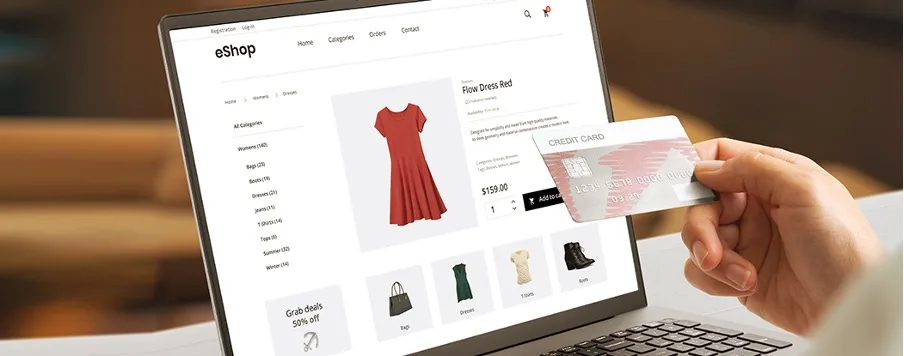
Accessibility in online shopping is no longer optional—it’s essential to providing an inclusive, user-friendly experience for people of all abilities. Whether individuals live with visual, auditory, mobility, or cognitive challenges, the right accessibility features make e-commerce platforms easier to navigate, understand, and enjoy. As more retailers embrace universal design, the digital shopping landscape becomes fairer, more efficient, and more welcoming to everyone.
Why Accessibility Matters in E-Commerce
Supporting Equal Access
Millions of users rely on adaptive technologies and accessible interfaces to shop online. Inclusive design ensures that every customer—regardless of ability—can browse products, read descriptions, complete purchases, and manage orders without barriers.
Enhancing Customer Satisfaction
Clear layouts, readable text, and intuitive navigation don’t just help people with disabilities; they improve the overall shopping experience for all users, including seniors, multilingual shoppers, and those on mobile devices.
Boosting Business Growth
Accessible websites reach wider audiences, reduce abandonment rates, and improve brand reputation. It’s a win-win for shoppers and businesses alike.
Key Accessibility Features That Make Online Shopping Inclusive
1. Screen Reader Compatibility
Screen readers convert on-page content into audible speech or braille. To support these tools effectively, websites need:
- Accurate alt text for product images
- Properly labeled buttons and form fields
- Logical HTML structure and headings
This ensures visually impaired shoppers can interpret product information and navigate effortlessly.
2. Keyboard-Only Navigation
Some users cannot operate a mouse due to motor limitations. Effective keyboard navigation includes:
- Clear focus indicators
- Logical tab order
- Accessible dropdowns and modals
These improvements allow users to shop from browsing to checkout without relying on a mouse.
3. High-Contrast Modes
Low contrast can make text difficult to read. Accessible e-commerce sites provide:
- Adjustable contrast settings
- Dark mode options
- Large, readable fonts
This benefits users with low vision or color-vision deficiencies.
4. Captioned and Transcribed Media
Product demonstrations and tutorials must be accessible to those with hearing impairments. Brands should ensure:
- Captions for videos
- Transcripts for audio content
- Visual descriptions within media
This makes multimedia content universally understandable.
5. Simplified Checkout Processes
Complex forms create unnecessary barriers. Accessible checkout includes:
- Auto-fill compatibility
- Clear error messages
- Minimal steps
- Easy-to-understand instructions
A streamlined checkout benefits users with cognitive challenges and anyone who prefers fast, intuitive workflows.
6. Adjustable Text and Layout Options
Some shoppers need more control over how content displays. Helpful features include:
- Resizable text without layout breaking
- Flexible spacing
- Clean page designs free from clutter
These accommodations support users with dyslexia, ADHD, and visual impairments.
7. Voice Search and Voice Navigation
Voice-enabled shopping tools help users with limited mobility or vision by allowing them to:
- Search for products with spoken commands
- Navigate menus hands-free
- Access support more easily
As voice technology improves, it becomes a vital part of inclusive online shopping.
Additional Tools Enhancing Accessibility
Accessible Chat Support
Live chat tools that support text-to-speech, simple language modes, and clear conversational structure create a smoother customer support experience.
Error Prevention and Helpful Prompts
Thoughtful design elements such as:
- Predictive search
- Clear feedback notifications
- Real-time form validation
help users stay oriented while minimizing frustration.
Multiple Payment Options
Not all users can manage complex banking apps. Offering various payment methods—including digital wallets and simplified checkout buttons—broadens access.
Designing With Inclusivity at the Core
To build a truly accessible e-commerce experience, brands must integrate accessibility from the beginning, not as an afterthought. This includes ongoing testing with real users who have diverse abilities and keeping up with evolving accessibility standards.
Accessibility isn’t just a compliance requirement—it’s an opportunity to create meaningful, inclusive interactions that foster customer loyalty.
FAQs
1. What are the most important accessibility features for e-commerce sites?
Screen reader compatibility, keyboard navigation, high-contrast modes, and simplified checkout processes are among the most essential.
2. Why is alt text important for online shopping?
Alt text helps visually impaired users understand what an image represents, especially when shopping for items that rely heavily on visuals.
3. How does accessibility improve user experience for everyone?
Clear layouts, simple navigation, and readable text benefit all shoppers—not just those with disabilities.
4. Are accessibility features required by law?
In many countries, digital accessibility is required for businesses. Even where not mandated, it remains a best practice for ethical and commercial reasons.
5. What tools can businesses use to test accessibility?
Tools like screen readers, contrast checkers, keyboard-only testing, and accessibility auditing platforms help identify barriers.
6. How can online stores make video content accessible?
By adding captions, transcripts, and visual descriptions to ensure all users can understand the information.
7. What is the easiest first step for making an online store more accessible?
Start by improving alt text, readability, and keyboard navigation—quick changes that create immediate impact.